How to Schedule Catering Staff (2026 Guide)
A practical guide to scheduling event staff for catering companies. Pool management, shift confirmations, no-show prevention, per-event tracking.

Diego Cárdenas
Founder of Turnozo
There's a specific kind of panic that only catering managers know.
It's 6 PM on a Friday. Tomorrow's wedding needs 14 servers, 3 bartenders, and 2 kitchen staff. You've sent messages to 30 people. Nine have confirmed. Three said "maybe." The rest haven't responded at all. And the event starts in 18 hours.
You start making calls. Voicemails. More texts. Checking the spreadsheet to see who worked last weekend and might be free. Scrolling through WhatsApp to find that one server who said she'd be available "most Saturdays."
This is what catering scheduling looks like without a system. And if you've been running events for more than a year, you know the stress never goes away. It just becomes the background noise of your week.
Here's how to fix it.
The core problem: event-based work doesn't fit weekly schedules
Most scheduling advice assumes your team works the same shifts every week. Restaurants, retail, clinics. There's a pattern you can copy and tweak.
Catering doesn't work like that. Every event is different. Different venue. Different headcount. Different start time. A Tuesday corporate lunch needs 6 people. A Saturday wedding needs 20. A Friday cocktail event needs 4 bartenders and zero kitchen staff.
On top of that, most of your team is casual. They have other jobs, classes, or gigs. Their availability changes weekly. You're not scheduling a fixed team. You're assembling a crew from scratch for every single event.
That's why spreadsheets stop working pretty fast in catering. You need something built for this model.
Step 1: Build your pool, not your schedule
Stop thinking about weekly schedules. Start thinking about your staff pool.
Your pool is every person who could potentially work an event. Full-time leads, part-time servers, casual bartenders who pick up gigs when they're free. Everyone goes in.
For each person, track:
- Roles they can fill (server, bartender, kitchen, event lead, barback)
- Experience level (new, reliable, VIP-ready)
- Certifications if any (food handling, alcohol service)
- Contact preferences (some people never check email)
This pool is your foundation. When a new event comes in, you're not starting from zero. You're filtering a list you've already built.
Step 2: Make availability self-service
The single biggest time sink in catering scheduling is chasing availability.
"Hey, are you free Saturday?" "Which Saturday?" "The 21st." "Let me check... I think so? Can I get back to you?"
Multiply that by 30 people and you've burned an entire morning.
The fix: make availability self-service. Staff update when they can and can't work from their phone. Weekly patterns for people with regular commitments. One-off blocks for vacations or exams. You stop asking. They just keep it current.
When it's time to staff an event, you open the app and see who's actually free. No calls. No waiting. No "I think so, let me check."
Step 3: Post events, not shifts
This is the mindset shift that changes everything.
Instead of building a weekly schedule and trying to fit events into it, create each event as its own thing:
- Event name: Morrison Wedding
- Date and time: Saturday Feb 21, 3 PM setup / 4 PM start
- Venue: Reception Hall
- Roles needed: 1 event lead, 8 servers, 2 bartenders, 3 kitchen
Post those open spots to your pool. People who are available and interested claim their spot. First come, first served for standard events. Hand-picked assignments for the big ones.
This is how the best catering companies handle scheduling. They treat every event like a project with specific staffing needs, not a recurring weekly pattern.
Step 4: Get confirmations before the event (not excuses after)
No-shows are the plague of catering. Industry rates above 20% are common. Some companies report 50% before they fix the system.
The solution has three parts:
1. Confirmation deadlines. Set a deadline (say, 48 hours before the event). Staff must actively confirm they're coming. "I claimed the shift" isn't the same as "I'm confirmed for tomorrow."
2. Automatic reminders. If someone hasn't confirmed by the deadline, they get a nudge. If they still don't confirm, you get flagged. Now you have time to fill the spot instead of finding out at the venue.
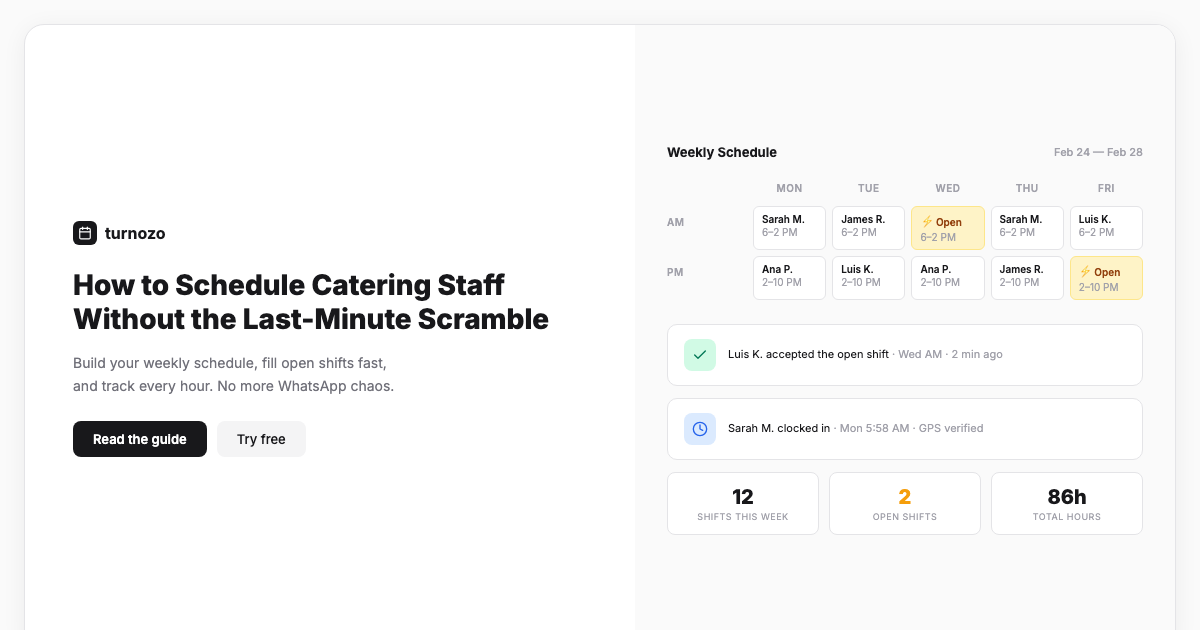
3. GPS check-in. On the day, staff clock in from their phone at the venue. You know who's arrived and who hasn't. No more "I'm five minutes away" from someone who's still in bed.
One catering company documented dropping their no-show rate from 50% to under 5% with just confirmations and check-ins. That's the difference between scrambling and running a business.
Step 5: Track hours per event, not per week
Payroll in catering is uniquely painful because people work different events at different rates on different days.
Maria worked the Tuesday lunch (4 hours) and the Saturday wedding (8.5 hours). Jake worked three events this week. Carmen only worked one. Now reconcile all of that from a spreadsheet and your event calendar.
The fix: tie time tracking to each event. Staff clock in when they arrive at the venue. Clock out when the event wraps. Hours automatically link to that specific gig.
At payroll time, you export clean per-event timesheets. No manual reconciliation. No guessing. And if you invoice clients for labor, you have exact numbers for that too.
Step 6: Build your A-team (and your B-team)
Not all events are equal. The fundraiser gala with 200 guests and a client who's paying €15,000 doesn't get the same team as a Tuesday office lunch.
Create informal tiers in your pool:
- A-team: Your most reliable, experienced people. They get first pick on premium events. They know this, and it motivates them.
- B-team: Solid workers still building experience. Good for standard events, learning the ropes.
- New: Recently added, still proving themselves. Pair with experienced leads.
When you post a premium event, send it to your A-team first. Give them 24 hours before opening it to the full pool. This rewards reliability and keeps your best people engaged.
What this looks like in practice
Here's a week in a catering company that's got this dialed:
Monday: Three events are booked for this week. You create each event in your scheduling tool with the roles and headcount. Post open shifts to the pool.
Tuesday morning: 80% of spots are filled through self-selection. You hand-pick your event lead for the Saturday wedding.
Wednesday: Two people who claimed Saturday spots cancel. The spots re-open automatically. Three available staff get notified. Filled within an hour.
Thursday (48h before Saturday): Confirmation requests go out. By Friday morning, everyone's confirmed except one server. You flag and fill the spot.
Saturday: Staff clock in at the venue. You see arrivals in real time. The event runs with full coverage. Hours track automatically.
Monday: Timesheets for all three events are ready. Export to payroll. Done.
Compare that to the WhatsApp group thread with 47 messages, three spreadsheet tabs, and a mild panic attack every Friday night.
The tools that actually help
You don't need catering-specific software for this. Tools like CaterZen and Caterease are great for menus, proposals, and BEOs. But they don't handle the staff side.
What you need is scheduling software built for flexible pools:
- Self-service availability management
- Event-based shift posting and claiming
- Pre-event confirmations with deadlines
- GPS clock-in at the venue
- Per-event timesheets and hour tracking
See how Turnozo handles catering team scheduling , event rosters, variable headcount, one-tap clock-in.
That's what Turnozo does. You manage the clients and menus in your catering software. Turnozo handles who's working which event, when they confirmed, when they arrived, and how many hours they logged.
Start organizing your event staffing → Try our free schedule template builder, or start a 30-day free trial.
The real cost of winging it
For more on crew sizing formulas and multi-event scheduling, see our event and catering staff scheduling guide.
Every hour you spend texting people about availability is an hour you're not selling events, improving menus, or building client relationships.
Every no-show costs you scramble time, overtime for the people who did show up, and potentially a client who'll remember the event was understaffed.
Every payroll session that takes 3 hours instead of 20 minutes because you're reconciling handwritten notes against your calendar is time you'll never get back.
The fix isn't complicated. Build your pool. Make availability self-service. Post events and let people claim spots. Confirm before the day. Track hours per event. That's it.
Every industry has different scheduling challenges. See how others handle it in our complete industry scheduling guide.
The scramble was never inevitable. You just didn't have the right system yet.
Frequently asked questions
Three things work together: confirmation deadlines (require staff to confirm 24-48 hours before the event), automatic reminders for anyone who hasn't confirmed, and GPS-based check-in so you know they've actually arrived on-site. One catering company in LA dropped their no-show rate from 50% to under 5% just by adding shift confirmations and check-ins.
Post shifts as soon as you book the event. Even if it's three weeks out, your best staff get claimed fast. For a Saturday wedding, posting the shifts on Monday gives your pool five days to claim spots. Waiting until Thursday means your experienced people are already booked elsewhere.
Keep everyone in one roster with their roles and certifications. Have them maintain their own availability through an app instead of texting you. When you need to staff an event, filter by who's available and what role you need. Tools like Turnozo handle this automatically. Your pool of 50 or 200 people becomes manageable because you're only ever looking at who's actually free.
Use mobile clock-in and clock-out tied to each specific event. Staff clock in when they arrive at the venue, clock out when the event wraps. Hours automatically tie to that gig, so at payroll time you're not cross-referencing spreadsheets with your event calendar. You get clean per-event timesheets you can also use for invoicing clients.
Both. For standard events, post open shifts and let staff self-select. First come, first served fills spots fast. For high-profile events like weddings or galas, hand-pick your experienced people. Most catering companies use a mix: self-selection for the volume, direct assignment for the events that can't afford a weak link.
Ready to simplify your scheduling?
Turnozo makes shift scheduling fast and painless. Try it free for 30 days.